


No RGB objects or text
Checking for RGB colours applied to objects or text in InDesign. RGB links are still allowed.
The RGB (Red, Green, Blue) colour space in intended for screen representation of colour and can be applied to pixel images, vector images, InDesign objects and text.
When RGB is to be used in commercial printing it is typically converted to the ink colours CMYK (Cyan, Magenta, Yellow and Black) either before placing or on export.
The actual colour that RGB or CMYK describes depends on many variables such as the type and setup of screen when viewing RGB and the ink, paper and light source used when viewing CMYK.
This check allows the use of RGB in placed images in anticipation of them being replaced or converted to CMYK on export as part of a colour managed workflow.
This GreenLight check will support this workflow method by flagging any object (e.g. graphic or text frames or lines) or text strokes or fills.
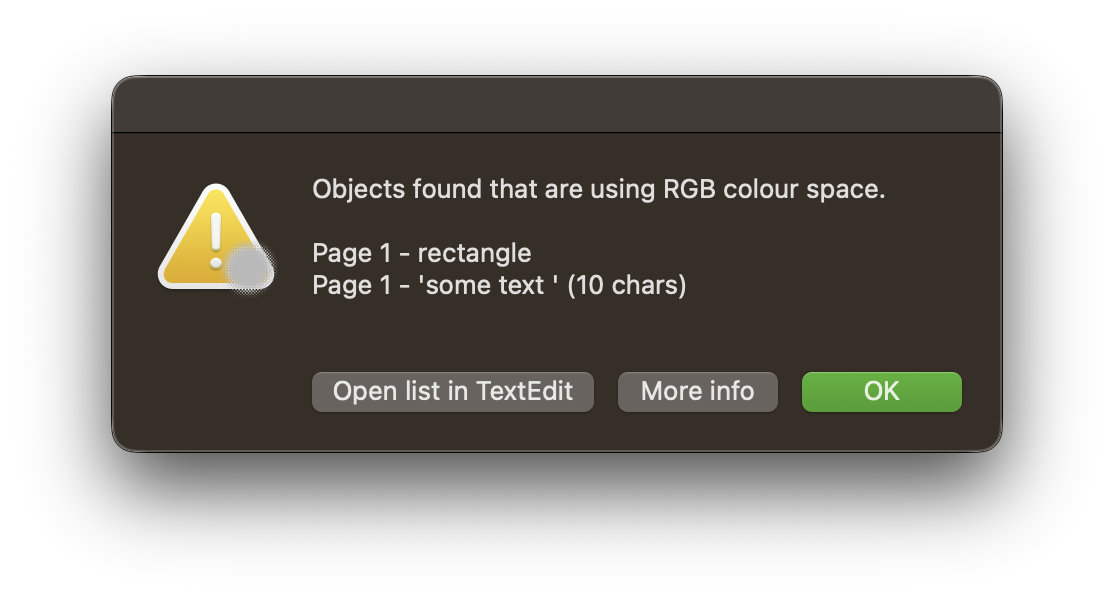
Fix this problem by only using CMYK colours for InDesign objects and text. We recommend using the InDesign Swatches panel for consistency.


