


Artwork price matches stated price
This check confirms that a price on cover artwork matches the price stated in the GreenLight Book Cover panel.
For GreenLight Custom Users only, this check determines whether the price stated on the book’s cover artwork matches the information in the Book Info panel.
Pricing can be automatically added to the artwork when a cover is created using GreenLight.
Book Info, which can be retrieved from a publisher's bibliographic database on creation of new files, is shown in the Book Info panel on the pasteboard to the left of the first spread.
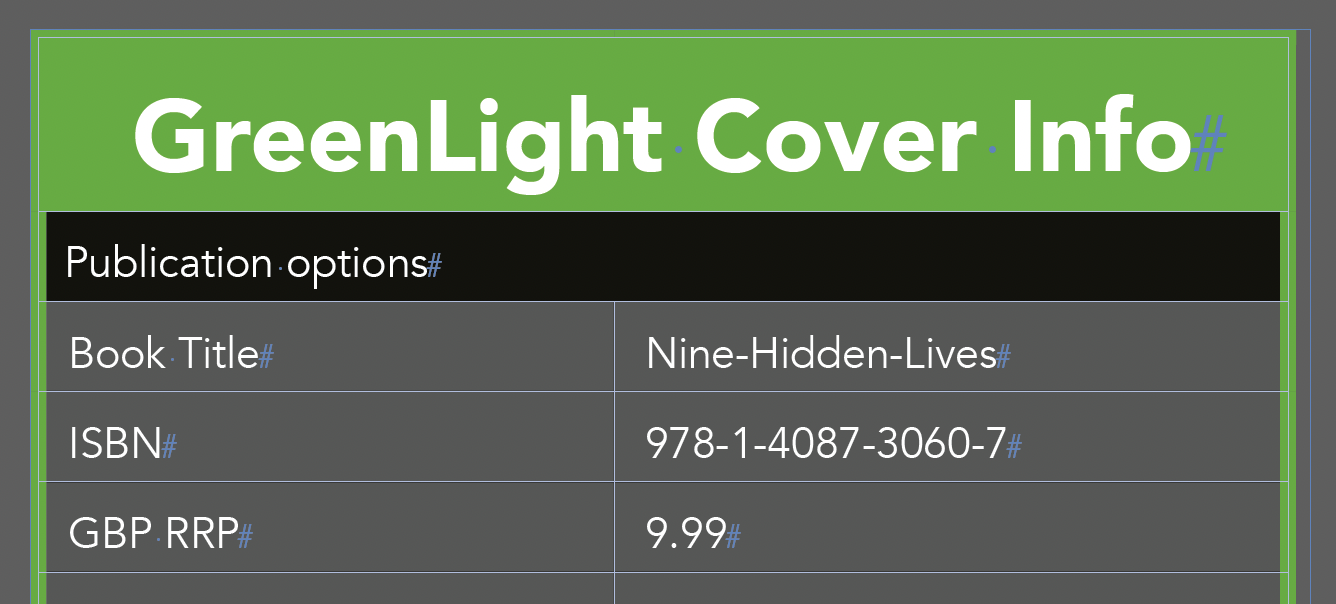
Book Info can also be amended by choosing GreenLight menu > Add / Amend Book Info.
Data in the Book Info panel is live and can be amended directly in the panel or with the Add / Amend Book Info command.
If a discrepancy is later found between the artwork price and the Info Panel price, an alert is shown and the pricing text frame is selected.
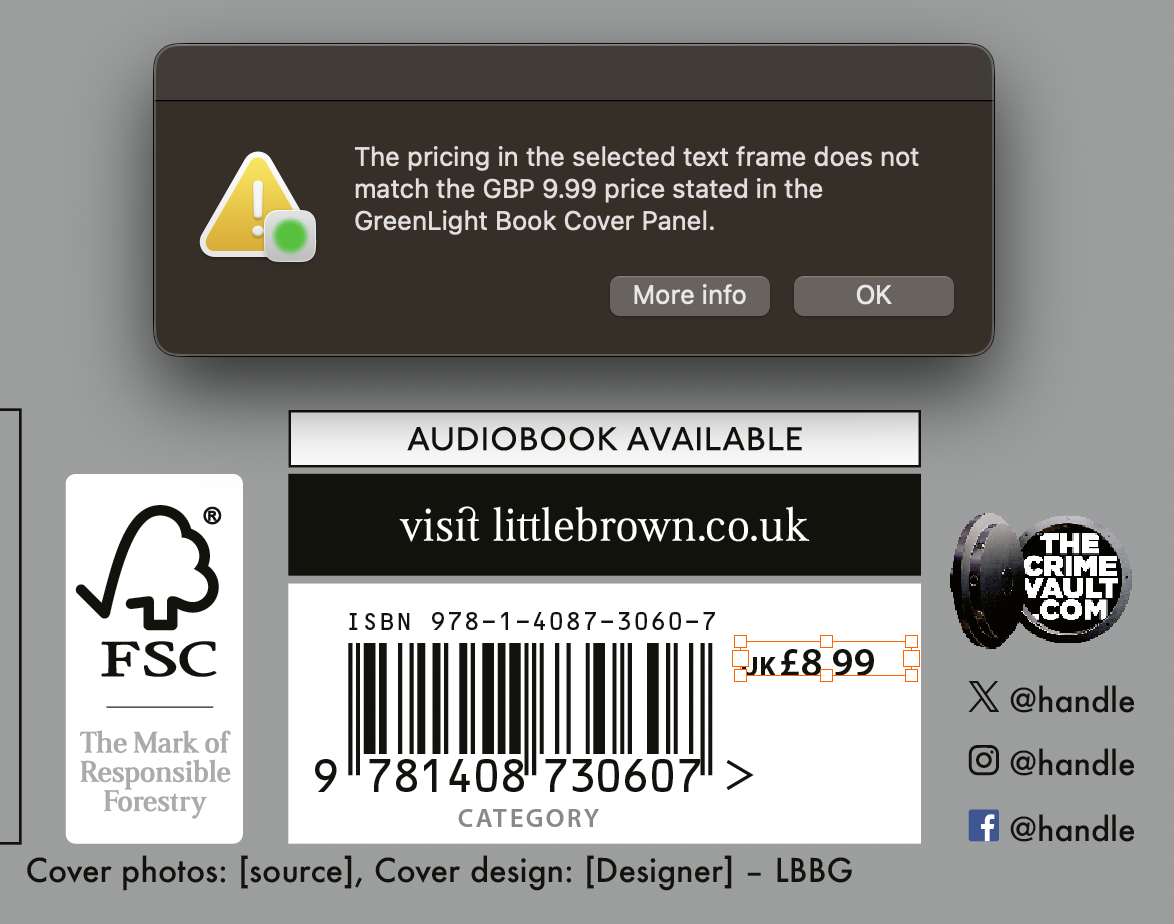
Fix the issue by altering the price in the artwork or the panel to pass this check.
International pricing
International pricing e.g US or Canadian dollar prices is also covered with this check. If introduced after the cover has been created choose GreenLight menu > Add / Amend Book Info to add international pricing rows into the Info panel.
Additional checks may complement this check to ensure the Info panel still matches the current Bibliographic data e.g. GreenLight info matches Biblio


