


Extracting User IDs with a script
A small helper script can be used to extract User IDs remotely
Circular Software Users are identified with a ten digit User ID Number which is linked to their Mac. This number is generated from the actual Mac computer hardware and cannot be changed by the user or Circular Software.
Whilst it is easy for users to copy their User ID Number from any Circular Software app Set -Up menu (e.g. GreenLight Set-Up menu > Copy Your User ID number) this does require the apps to have been downloaded and launched first.
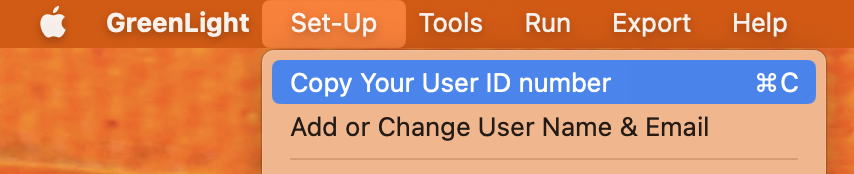
For those wishing to deploy Circular Software apps to a group, an additional method can quickly extract User IDs without any interaction with the user.
The script below can be run remotely and in batches with a deployment tool like Jamf. Note: the first line of the script should be modified to point to the exact name and file path of the GreenLight application on the user's Mac.
set GLPath to "/Users/[userid]/Desktop/[GreenLight].app" -- Where GLPath is path to the user installed GreenLight app
set QuickIDPath to POSIX file (GLPath & "/Contents/Resources/QuickID.app")
set ExtractedID to run script alias QuickIDPath
The script returns the ten digit User ID Number as a string.


