


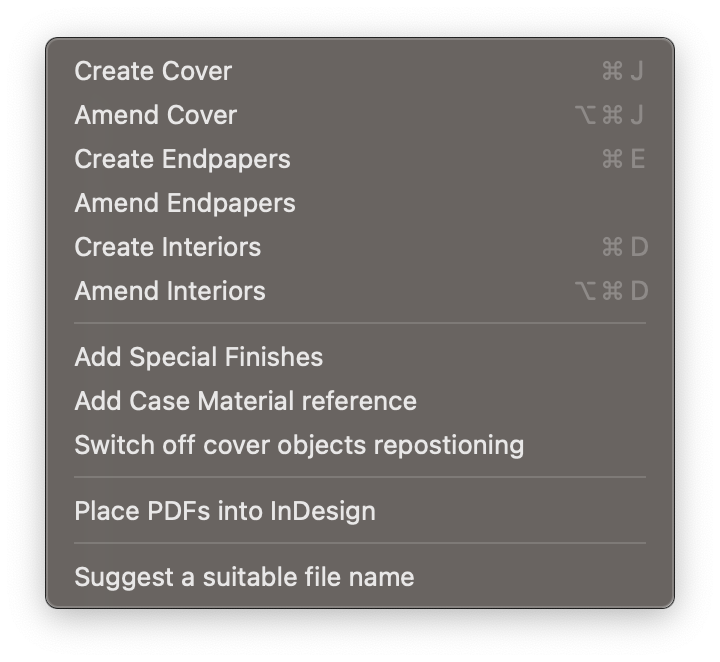
Make new cover artwork to publisher specs. More info in our step-by-step tutorial
To revisit and amend cover settings such as spine width
Make new endpaper artwork to publisher specs
To revisit and amend endpapers
Make new interiors spreads to match publisher specs
To revisit and amend interior page settings such as margins
Add special finish layers and swatches matching publisher requirements
Specify the case material reference code matching print supplier requirements
Use this to prevent unwanted movement of repositioned logos, barcodes etc. when amending the cover size
Importing and combining existing PDFs into InDesign
A tool to suggest a file name that matches publisher requirements checked by GreenLight


